Google Ads for Dentists: What a Strong Setup Looks Like
Google Ads can fill your schedule or drain your budget. Here's what a strong dental Google Ads setup looks like, so you can tell whether yours is working.

By Michael Anderson, Co-Founder at Wonderist Agency
Google Ads is one of the fastest ways to put your practice in front of patients who are ready to book. Someone searches "emergency dentist near me" at 7 a.m., and your ad can be the first thing they see. It's the most common form of dental PPC, short for pay-per-click: you pay only when someone clicks your ad.
It's also one of the easiest places to waste money. Not because the platform doesn't work, but because so many dental accounts are set up in ways that guarantee mediocre results. The ads run, the budget spends, the clicks come in. And nobody can say for sure how many new patients any of it produced.
You don't need to build your own campaigns to benefit from this guide. Most practice owners shouldn't spend their evenings inside Google Ads. But you should know what a good setup looks like, so you can tell whether the account you're paying for is set up to perform.
Think of it like reviewing a lab case before it goes in the patient's mouth. You may not have fabricated the crown yourself, but you know what a good margin looks like.
Setup Decides Results
Most Google Ads problems trace back to decisions made in the first week: what gets tracked, which searches trigger your ads, and where those clicks land. Get those right and the account gets smarter every month. Get them wrong and no amount of budget will fix it.
Here's what to look for, piece by piece.
1. Conversion Tracking Comes First
Before a single ad runs, the account needs to know what success looks like. For a dental practice, that means real patient actions:
- Calls from the ad itself
- Calls from your website after someone clicked an ad
- Appointment request forms
- Online bookings
If your reports celebrate clicks, impressions, or "engagement," that's a red flag. Google's automated bidding learns from whatever you tell it to count. Count page views, and it will find you more people who view pages.
The best setups go one step further and connect ad clicks to booked appointments and collected revenue in your practice management software. That's the only way to know what a campaign actually earned, and it's exactly what our practice management integration does.
Measure all the way to collected revenue
About $4,000
Typical patient, over 7 to 8 years
$18,000+
Implant or cosmetic patient
Source: Wonderist patient lifetime value model
2. Campaigns Organized by Service
An implant patient and a hygiene patient are not worth the same to your practice, so they shouldn't share one campaign and one budget.
A strong account separates campaigns by the services you want more of, like emergency care, implants, clear aligners, or new patient exams. Each gets its own budget, keywords, ads, and landing page. That way you can put more money behind high-value cases and see exactly which services are paying off.
3. High-Intent Keywords, and a Long List of Negatives
The goal is to show up when someone is ready to book, not when they're researching. "Emergency dentist near me" signals a patient. "How to fix a chipped tooth at home" usually doesn't.
Just as important is the list of searches you don't want: dental assistant jobs, dental school, free clinics, DIY remedies, and supply searches. These are called negative keywords, and a well-run account adds to them constantly by reviewing the actual search terms people used.
Check this: Ask to see the search terms report from the last 30 days. You'll learn more from it than from any summary.
Search terms report
Last 30 days
| What people searched | Clicks | Cost | Action |
|---|---|---|---|
| emergency dentist near me | 48 | $412 | KEEP |
| dental implants near me | 31 | $388 | KEEP |
| same day dentist | 22 | $176 | KEEP |
| dental assistant jobs | 17 | $96 | BLOCK |
| free dental clinic | 14 | $81 | BLOCK |
| how to fix a chipped tooth at home | 11 | $63 | BLOCK |
| dental school near me | 9 | $54 | BLOCK |
$294
spent this month on searches that were never going to book.
Demo data for illustration
4. Targeting That Matches Your Real Market
Most patients won't drive 25 miles for a cleaning. Location targeting should reflect how far patients will realistically travel for each service. That might be a tight radius for general dentistry and a wider one for implants or sedation.
One setting deserves a second look. Google can show ads to people physically in your area, or to people merely interested in it. For most practices, targeting people who are actually in or regularly in your area keeps budget from leaking to searchers across the country.
Your ad schedule matters too. If nobody answers the phone at 9 p.m., either pause call-focused ads after hours or make sure those calls are handled.
5. Ads That Give Patients a Reason to Choose You
Generic ads ("Quality Dental Care. Call Today!") blend in with every other practice on the page. Strong dental ads are specific: the service, the neighborhood, and what makes you different, whether that's same-day emergency appointments, sedation options, Saturday hours, or hundreds of five-star reviews.
A good setup also uses Google's ad assets, which add extra information to your ad:
- Call assets so patients can tap to call
- Location assets linked to your Google Business Profile
- Sitelinks to key pages like new patient specials or insurance
6. Landing Pages Built to Convert
This is where many accounts fall short. A patient searches "dental implants," clicks your ad, and lands on your homepage. Now they have to hunt.
Every major campaign should send clicks to a dedicated page that matches the search. It should include:
- A headline that matches what they searched for
- A tappable phone number and a short request form
- Real photos of your team and office
- Answers to the big questions, like insurance, financing, and what to expect
- Reviews or before-and-afters that build trust
- Little or no site navigation, so visitors stay focused on booking
- Fast loading on a phone
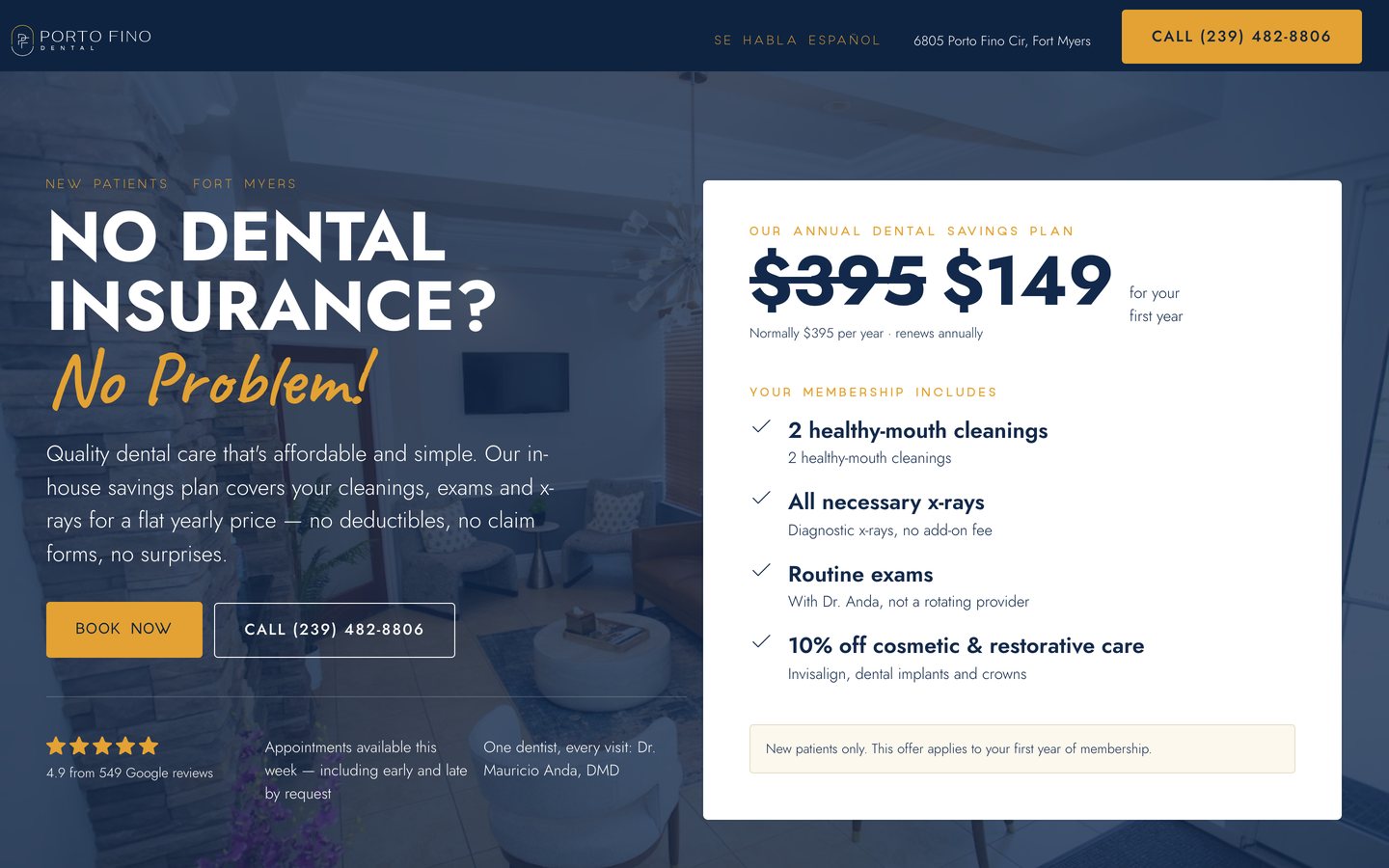
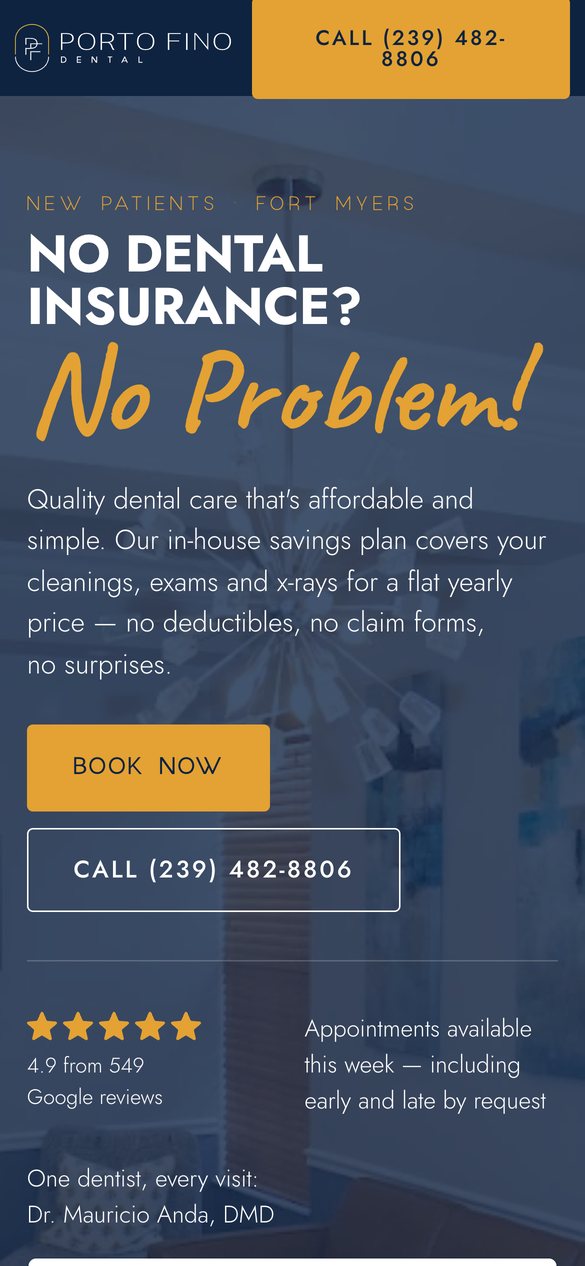
- 1A headline that matches the search: "No dental insurance? No problem!"
- 2A tap-to-call button, at the top of every screen size
- 3A Book Now button above the fold
- 4The no-insurance option and its price, up front
- 5Reviews right under the buttons (4.9 from 549 Google reviews)
- 6No site menu, so visitors stay focused on booking
Example landing page: Porto Fino Dental's savings plan page for patients without insurance.
7. Built With Healthcare Rules in Mind
Healthcare advertising comes with extra guardrails. Google treats personal health information as a sensitive category for personalized advertising, which limits how health-related ads can use tools like remarketing and customer lists.(1) Patient privacy rules add another layer, covering what data is shared with ad platforms.
A good agency builds campaigns, tracking, and landing pages with these rules in mind from day one. That's far better than learning about them through disapproved ads or a privacy concern later.
8. A Front Desk Ready for the Calls
Successful PPC isn't just about generating leads. It's about your practice being ready to convert them. The best campaign in the world can't book a patient if the call goes to voicemail or gets rushed off the phone. Before you scale your budget, prepare your team for three things.
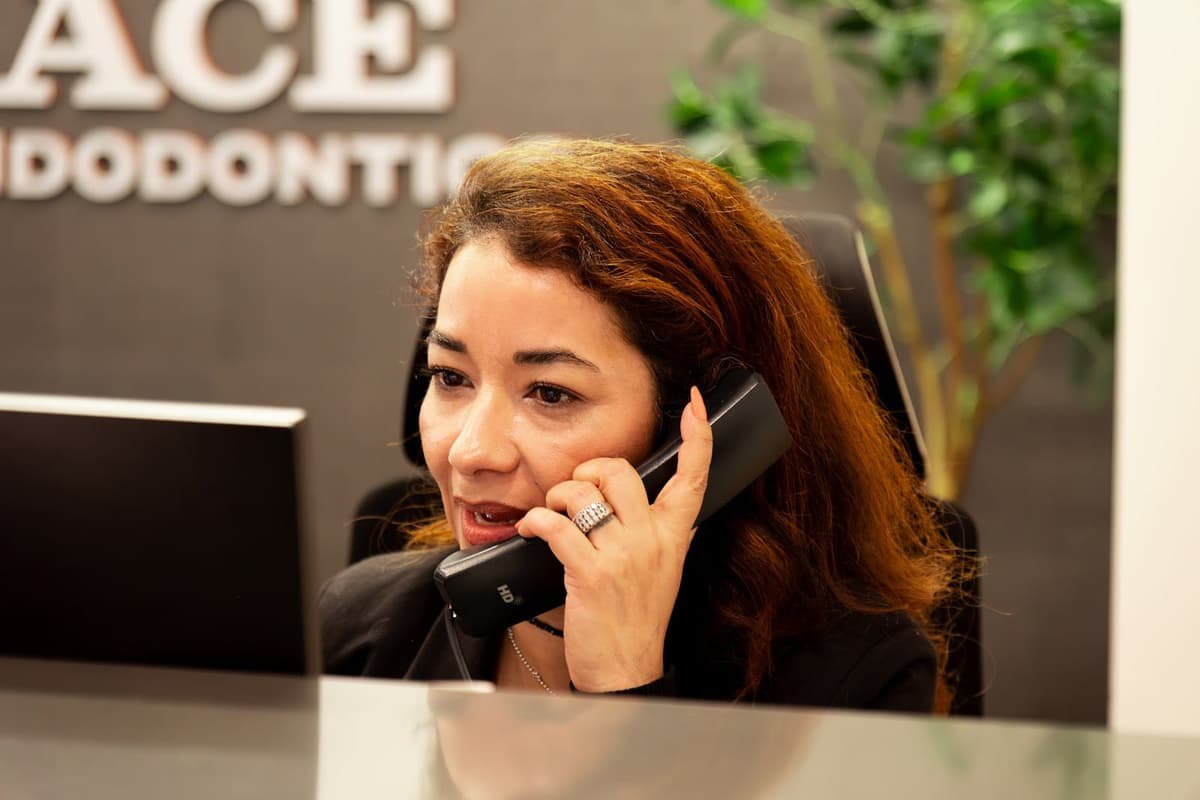
Expect more calls, and not all of them will book. A good campaign increases call volume, but some callers will be comparing prices, some can't come in this month, and some won't be a fit for your practice. That's normal. Set that expectation ahead of time, so a call that doesn't book feels like part of the process, and every caller still gets a friendly, helpful conversation.
Know the offer before the phone rings. If your ad promotes a new patient special, a free implant consultation, or a financing option, everyone answering the phone should know exactly what it includes, who qualifies, and how to explain it with confidence. A caller who asks about an offer and hears "I'm not sure, let me check" is far less likely to book.
Get the caller's name and number first. Ask for a name and phone number early, before getting into details. If the call drops, the caller needs to check their calendar, or they aren't ready to book today, your team can still follow up. Without that information, an interested caller becomes a lost lead.
This is one reason we built the Call Insights Dashboard into The Wonderful CRM. It scores every call for front desk performance and caller quality, and filters by traffic source. You can see how your paid search calls compare to everything else, and fix problems in week two instead of month six.
The ads bring patients to the phone. A prepared team turns them into appointments.
How to Judge Whether It's Working
Give a new or rebuilt account time to learn. The first 30 to 60 days are about gathering data and trimming waste. Expect steady improvement after that, not overnight miracles.
When you review results, focus on the numbers that connect to your schedule:
- Booked new patients from ads, not just calls or form fills
- Lead quality, meaning whether callers need the services you offer and accept your insurance or payment options
- Revenue per patient by campaign, because the cheapest lead isn't always the most valuable
That last point surprises a lot of practices. A campaign that brings in a handful of implant cases can be worth more than one that fills the schedule with cleanings, even if its cost per lead looks worse. Without revenue tracking, you'd never see that, and you might cut the campaign that's actually paying off.
Questions to Ask Whoever Runs Your Ads
You don't need to manage the account yourself. But you should be able to get clear answers to these:
- What counts as a conversion in my account, and does any of it connect to booked appointments?
- How are my campaigns organized, and how is budget split between services?
- Can I see the search terms report and the negative keyword list?
- Where do my ads send people, and how are those pages performing?
- How are you keeping my campaigns compliant with Google's healthcare and privacy rules?
- What's changed in the account in the last 30 days, and why?
If the answers are vague, or you've never seen your search terms, that tells you something.
Google Ads Rewards the Practices That Measure
Google Ads isn't magic, and it isn't a money pit. It's a tool that amplifies whatever you build into it. Track the right things, target the right patients, send them to a page built to convert, and answer the phone well. Do that, and it becomes one of the most dependable new patient sources a practice can have.
If you'd like a second set of eyes on your current account, we'd love to take a look. See how we approach Google Ads for dental practices, or talk to our team at wonderistagency.com/contact-us.
Notes
About the Author

Michael Anderson
Co-Founder, Wonderist Agency
Michael co-founded Wonderist Agency and helped grow it from a two-person venture into a team trusted by more than 1,200 dental brands, with seven straight years on the Inc. 5000. Before Wonderist, he worked in growth and online marketing at a Fortune 500 healthcare incubator, and today he focuses on pairing standout creative with ROI tracking tied to practice management software.
Topics
